Monday, September 2, 2013

Framed Mini Calendar

Pin It

Mini Calendar

Like many of you, I am continusly on the lookout for great unique gift ideas to have on hand to give away for Birthdays, Special Occasions, Christmas and so on. And, I am just in the mood to do a little craft. Break away from the norm and get out my spray paint and sand paper.

This cute little calendar was inspired by my sister Terresa.  She found these really cute frames from a local craft store here in town. Terresa is very crafty and loves to be creative. Go, take a peek at her blog, HERE.

I designed these little calendars in the Heritage Collector Calendar Module.
Once I had the size figured out, they were really pretty simple to make and have a fun unique twist to them.

I create them in a 3x3 size then later added to an 8x10 so I could print right from home on card stock. And, they looked great! Plus, I only had to print out two pages.


Once I had them printed out, just cut, place in order, and you are ready to attach to your cute little frame!
 
To get the pages to stick together and work like a regular calendar that you just tear at the top. just add a smudge of hot glue or glue of your choice to the top portion.

Paint your frame any color you like! I like to use spray paint but you could really use any type of paint for this.
 
Then, just glue to the back or use double sided tape like I did.  This calendar was just placed over the top of the hole on the frame.

Here it is! I thought it turned out pretty cute. And, what a fun gift I will give at Christmas this year.


To learn more about the Calendar program I used to make this click HERE
 
Thanks for stopping by today! I hope you come back again really soon.


Friday, August 30, 2013

Tips on Scanning and Writing a Family History

Pin It

Some of the question's we get asked most often is how to scan and get the best possible scans.

Marlo has written an outstanding book to help you write your family history and also gives wonderful and very useful tips on scanning.

The Digital Family History Guidebook is easy to read and understand. Many photos and screen shots help walk you through each step of the process you are learning about.
You can find more information here. Digital Family Guidebook


Tips for getting the best quality scans. Scanning Checklist
  • Turn on scanner.
  • Place first photo at top right corner of scanner and align to corner guides.
  • Start Heritage Collector Professional Software.
  • Create collections. Collections can also be created while scanning.
  • Click scanner Icon at top left in Professional software.
  • Select scanner.
  • Click Preview button in scanner software to see photo.
  • Crop photo. Zoom in if necessary to make cropping easier.
  • Do photo enhancements - contrast, brightness, saturation, etc.
  • Set the target size to 8 X 10 inches (800 X 600 pixels).
  • Select Dots per Inch (DPI) from 150 - 400 DPI.
  • Finalize Scan (Click the scan button) Photo appears in Professional.
  • Type in photo caption and / or description.
  • Select Word Characteristics (optional).
  • Change scanning date to an approximate photo date (optional).
  • Enter GPS Coordinate if appropriate.
  • Select appropriate file type.
  • TIF - Color - Most universal (If you plan to do further enhancements to photo).
  • PNG - Uncompressed creates much smaller than TIF and a good alternative to TIF.
  • BMP - Color or black and white. Creates large file size even compressed.
  • JPG - smaller size for e-mail or web. Degrades with repeated saving / enhancement.
  • Select collection to store photo and click Accept button.
  • Place next photo at top right of scanner.
  • Click Scan button.
Here is a wonderful example of what you can find in the Guidebook:
Chapter 8 - Archiving and Preserving. Proper Care and Handling of CD/DVDs.


You can view a very useful movie tutorial on scanning.


Thanks for stopping by! See you soon with more fun tips coming your way.
 
Heritage Collector Website

Thursday, August 29, 2013

Using video clips with pictures!

Telling stories the fun way

Those of you that know me know I LOVE shooting video with my camera. It isn't uncommon to see me with my camera strap around my neck with my eyes always on the look out for that perfect moment to capture on my camera!

I love that I am able to directly import my photos and video clips all into one place. Heritage Collector. This is where I can organize and easily access my photos and video for easy sharing.

Now, I know it is  nearing the end of summer. But, I want to show you just how easy it is to take family vacation pictures such as these, and turn them into a story to share.


This was my first time taking all of my kiddos ice fishing. I'm not going to lie, I was a bit nervous until my sweet hubby kept reassuring me it was safe. Goodness, the ice was several feet thick!

When you look at this picture, you know very little about it. The only thing you know right off is that is was winter and cold outside.

What you probably didn't know was that we were ice fishing! You don't know my kids ages, how excited they were, and all the fun that happened that day.  You didn't even know they pulled each other around the ice on their sleds.

Since I do like to scrapbook (or as I like to call it, Storybooking) I created a basic page with all of my favorite pictures from this trip in Heritage Collector Storybook.

 
Adding Video Clips to photos and storybook pages
 
Now comes the fun part! As I mentioned in the beginning, I always take video along with still pictures anywhere I go. When you mouse over this picture, I tagged the video clip to it so it plays! 

This is a snip of the above picture with video added to it. Now, In my opinion you have a much better recipe for sharing a fun story your kids will love!


I must admit I have spoiled my kids. They think every picture or scrapbook page should have their audio or a video clip attached! Their excitement as they mouse over their pages is so rewarding.
 
The possibilities are endless here. Childs first steps picture AND video attached to each other. Wedding video's and pictures attached. You see where I am going with this.
 
Stop just saving your pictures. DO SOMETHING WITH THEM!!

We teach live online free classes on how to do this. And you will be so amazed at how easy this is with Heritage Collector!

Saturday, August 3, 2013

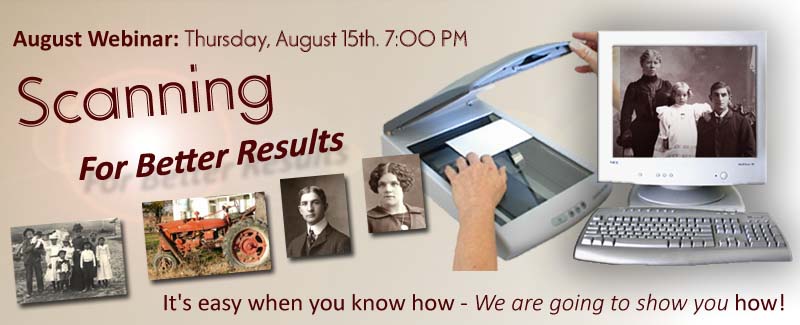
FREE online Scanning class.

Scanning for Better Results

 It's easy when you know how - We are going to show you HOW!

Thursday, August 15th. 7:00 PM MDT
 
6:00 PM - Pacific
7-8:00 PM - Mountain
8-9:00 PM - Central
9-10:00 PM - Eastern


Take your history to the next generation with Heritage Collector Suite.
Organize photos and information. Personalize and create interactive storybooks, talking calendars, slide shows and multimedia collections. Increase interest with photo labels, oral narrative and GPS maps. Share via cloud, self-running CD/DVDs or printing.    
 
Free Download of Heritage Collector Standard.
If you don't own a copy of Heritage Collector, download our Free Standard version Here!  Try out the software and come to the class with any questions you may have. Can't wait to see you there.

Tuesday, July 9, 2013

Great gift ideas made digitally.

Happy Tuesday!

I have been one busy lady. We have been camping, to a family reunion, celebrating the 4th of July and taking day trips with my children.

This summer has been awesome! I'm finally well and able to spend some good quality time with my family.

Okay, I have some really run projects to share today! I've been wanting to share them for weeks but as I listed above, I haven't had much time to blog lately.

Hand crafted notebook gift set, magnet packs, note pad set

I love to craft. I love to feel like I can express my creativity. As my family has grown, and my responsibilities have more than tripled, I still have a need for a creative outlet. I have also found that I love to craft with the ease of my computer mouse! It's not messy, and I can't mess it up on the first try. My love for the program Heritage Collector has really made it possible to complete my projects, spend less money and time on them.


 Super cute double note pad set.
All I needed was two 3x5 plain note pads a cute cover that I designed in Heritage Collector that I glued to the backs of both the note pads so when you open it, your ready to start making notes. And, of course a matching pen, cute bow and tag. Perfect for gift giving.

As you can see, I have been busy. I just finished up a craft fair and these are some of the items I sold. All made using Heritage Collector Storybook. The most fun of all was the packaging up of the items and making them look cute enough to sale.
The graphics I used to make these came from Designs by Krista.
 
Come back soon. I am busily working on some projects I can't wait to share with you!

Friday, May 3, 2013

Door Hanger. The perfect solution!

Summer frustration

Many of us love summer. Who doesn't, right? Well, with the good does come some challenges.
During spring break I was so happy to have my kids home! It was wonderful. But, while my kids were home during the break I was reminded a little of what summer was going to be like. 

I love that my kids have wonderful friends to play with! They are adorable and they play really well together. So, why the frustration? As many of you know, I have twin boys. And yes, they still take afternoon naps. I needed something that would help my kids not get disturbed during nap time and during time to do their jobs.

A fun door hanger seemed to be the perfect logical idea to help.

(I found the idea for the door hanger from Skip to my love blog.)

I created my door hanger in Heritage Collector Storybook. I used Designs by Krista's Festival Fun kit.  It took me literally 15 minutes to make and print out. Right from home! I did laminate it to protect from the weather.

 
I love simple things that can make life a bit easier! It will be fun to start trying this out! Thanks for visiting! Come back soon.


Sunday, April 28, 2013

Treat Bag Wraps.

We are finally well!!
Welcome back! I know it's been a long time since I have posted anything. My family has been sick every other week since October. No joke. I won't list off all the things we've had but, most recently I had Strep Throat twice in one month as did my twins! It was awful. I can honestly say, Strep Throat is not welcome in my home!!
It's been a glorious of month of  NO illness. Knock on wood. I haven't felt this good in a long time. With more exercise and better eating habits, I feel like a new person.

Treat bag wraps
Okay, since you didn't visit my blog to hear about our chronic illnesses, I will move on to some more fun and exciting topics.

I am always looking for fun ways to put together gifts that are unique and inexpensive. For this project, I found some of the inspiration on Pinterest but then decided I had to add my own personal spin on this.

This project was created using Heritage Collector Storybook and some graphics from Designs by Krista.


 Supplies needed.
 Flip over the strip of paper.
 Score the bottom to look similar to the letter V.
 Place your bag in the middle at the top. ( I had to trim my bag a little to get it to fit right.) Then fill with your goodies.
Add two holes at the top, then tie a bow.

 What a fun way to say "thank you" right?
 The possibilities are endless!
 Just another close up.


Just a cute matching envelope and card, tuck behind your plastic bag in the back an voila! A super cute personalized gift that didn't take long or cost a lot to make.

This project is ALL digital except for the bow and the goodies inside! I love how these projects can be created with ease and fun. This project will only cost you about $3.00 or so. Depending on what you decide to fill it with.

This will be available to purchase in template form very soon.

Be sure to come back! I will be showcasing more fun hands on craft ideas made using Heritage Collector!